WindowDeck
Your work belongs together. Your windows should too.
A Windows window organizer with optional AI that suggests groups for related work across apps. Preview your layout, arrange it, and undo when you need to.
 View on GitHub
- Platform
- Windows 11 · .NET Framework 4.8
- Release
- 0.9.0-alpha.1
- License
- MIT
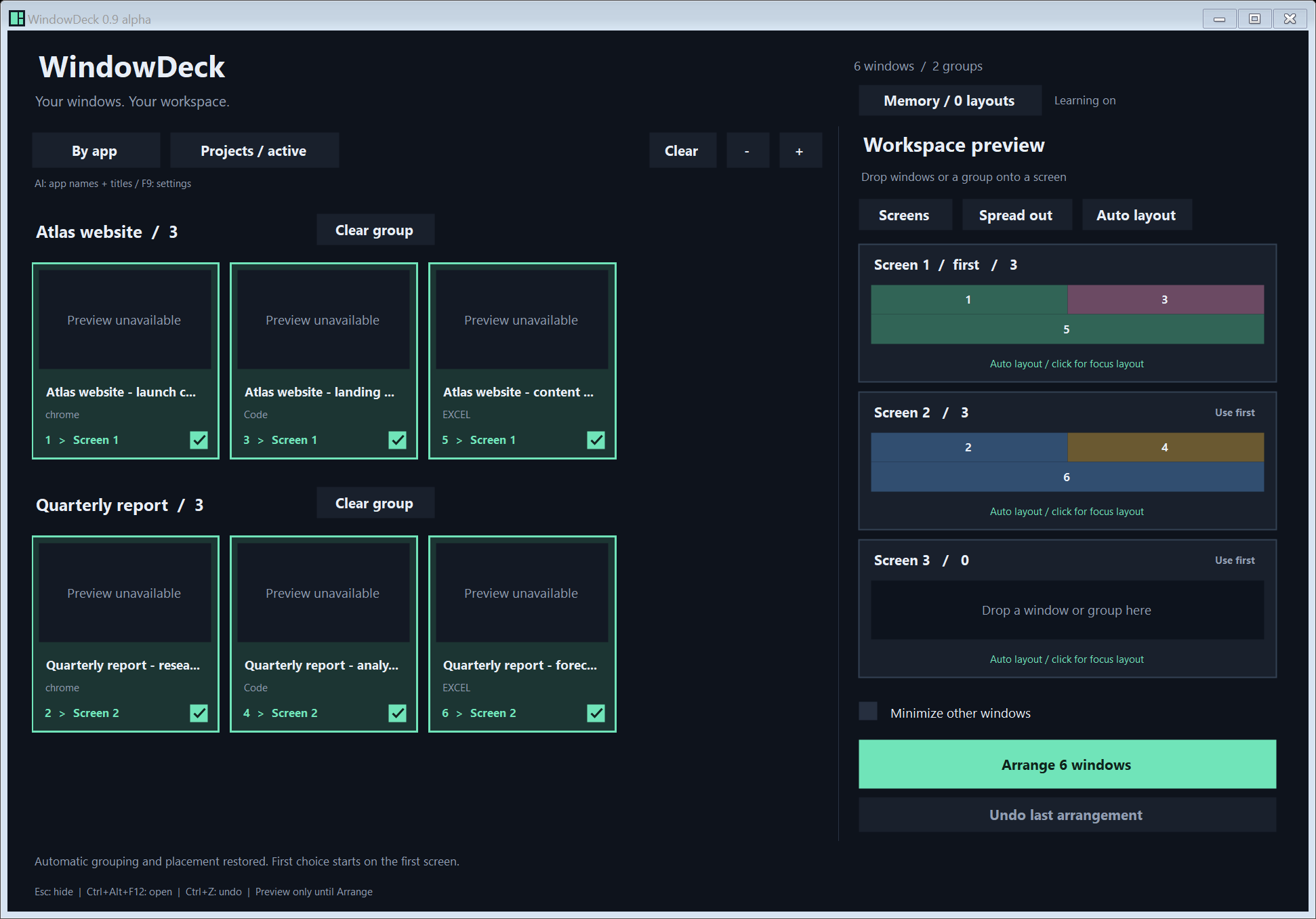
The problem
One project spans a browser, an editor and a spreadsheet. With several tasks open, finding the right windows and rebuilding your layout becomes another job.
What it offers
Bring open app windows onto one board. Group by app offline, or let optional AI suggest which windows belong to related work. Review the layout before arranging.
Available now
A public Windows alpha with source code, a downloadable app, documented privacy controls and Undo for the current session.
How your API key is stored
Enter your own DeepSeek API key in WindowDeck's AI settings. This website does not collect it, and no key is included in the download.
The app saves it in:
%LOCALAPPDATA%\WindowDeck\ai-settings.json
The protectedKey field contains encrypted bytes protected by Windows DPAPI for your current Windows user. The model ID and settings stay readable. Other software running as that same Windows user can decrypt the saved key; it also exists in memory while the app is using it.
To forget a saved key, clear the key field, disable AI, and save. Disabling AI alone keeps the encrypted key. To revoke access entirely, revoke the key with DeepSeek as well.
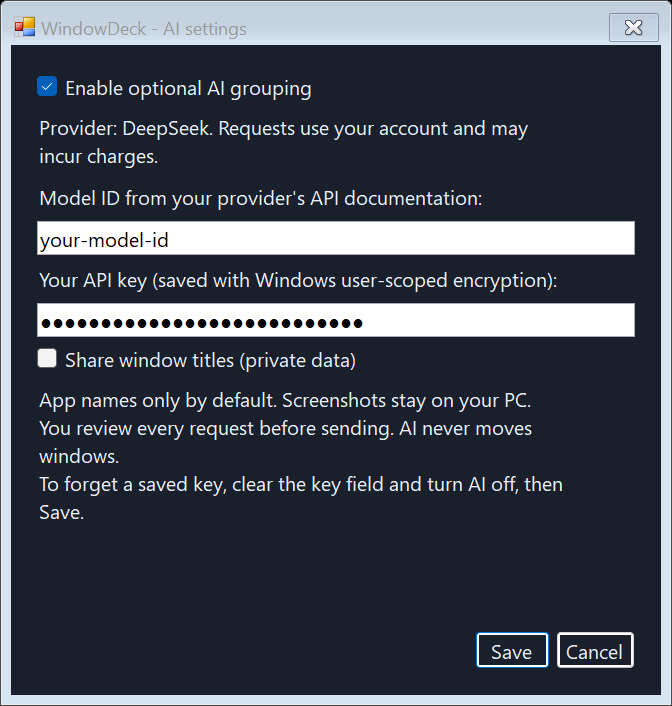
Actual settings dialog with a synthetic key and example model value. No real account information is shown.
What AI receives
AI is off by default. Offline grouping and window arrangement work without an account.
When you enable AI, WindowDeck shows the exact request and asks you to approve it each time. It sends app names and opaque IDs directly to DeepSeek over HTTPS. Window titles are included only if you opt in. Screenshots and document contents are never sent. Your key authenticates the request; there is no WindowDeck relay server.
The preview covers all windows currently detected on the board, not just checked cards. It is a frozen snapshot: if you close a private window after opening the preview, cancel, refresh the board, and create a new request before sending.
With titles off, AI has less context to distinguish projects using the same apps. Suggestions can be wrong. Your provider may charge for approved requests.
Read the full API-key and privacy guide.
From scattered windows to a workspace
- Open the board. See your application windows and choose the ones you want to arrange.
- Choose groups. Group by app offline, or enable AI to suggest related project groups. Review the result before arranging.
- Choose screens. Set destinations and preview the layout before anything moves.
- Arrange, then undo if needed. Undo restores the previous arrangement while WindowDeck is running. Closing the app clears that history.
WindowDeck organizes application windows, not individual browser tabs. AI proposes groups; clicking Arrange is what moves windows.
See the illustrated walkthrough.
Try the alpha
Open the release page, download WindowDeck-0.9.0-alpha.1-windows.zip, extract it, and run WindowDeck.exe. You need Windows 11 and .NET Framework 4.8 or a compatible in-place update. The same release includes source and SHA-256 checksums.
This first public alpha is unsigned. Its source was reconstructed from my earlier application. The release passed 45 automated checks locally and on GitHub, but live DeepSeek acceptance, complete accessibility, and a broader physical mixed-DPI monitor test matrix remain unverified.
Release notes and checksums · Known limits
Build on it
WindowDeck is open source under the MIT license. Read the code, report a reproducible issue, or contribute an improvement. Keep API keys, private window titles, and personal screenshots out of public issues.
Try it. Inspect it. Make it yours.
Downloads, source code and issue tracking live on GitHub.
Explore more projects