Actions Ring Workflows
Keep the next move within reach.
Three editable Logitech Actions Ring profiles for coding, everyday work and staying in flow. Useful prompts and Windows controls, organized around the next thing you need.
 View on GitHub
- Platform
- Windows · Actions Ring · Loupedeck72
- Release
- 0.1.0-alpha.3
- License
- MIT · Fluent Emoji: MIT · Legacy Lucide: ISC
The problem
Useful instructions disappear into old chats. Small tasks pull you between windows. Finding the right prompt can take more effort than starting the work.
What it offers
Choose Code, Work or Flow. Open a focused folder, paste a prompt into your chosen AI app, or use a familiar Windows control when you need it.
Available now
Code Ring, Work Ring and Flow Ring, with editable catalogs and full action guides. An alpha targeting the Logitech Actions Ring Loupedeck72 format on Windows.
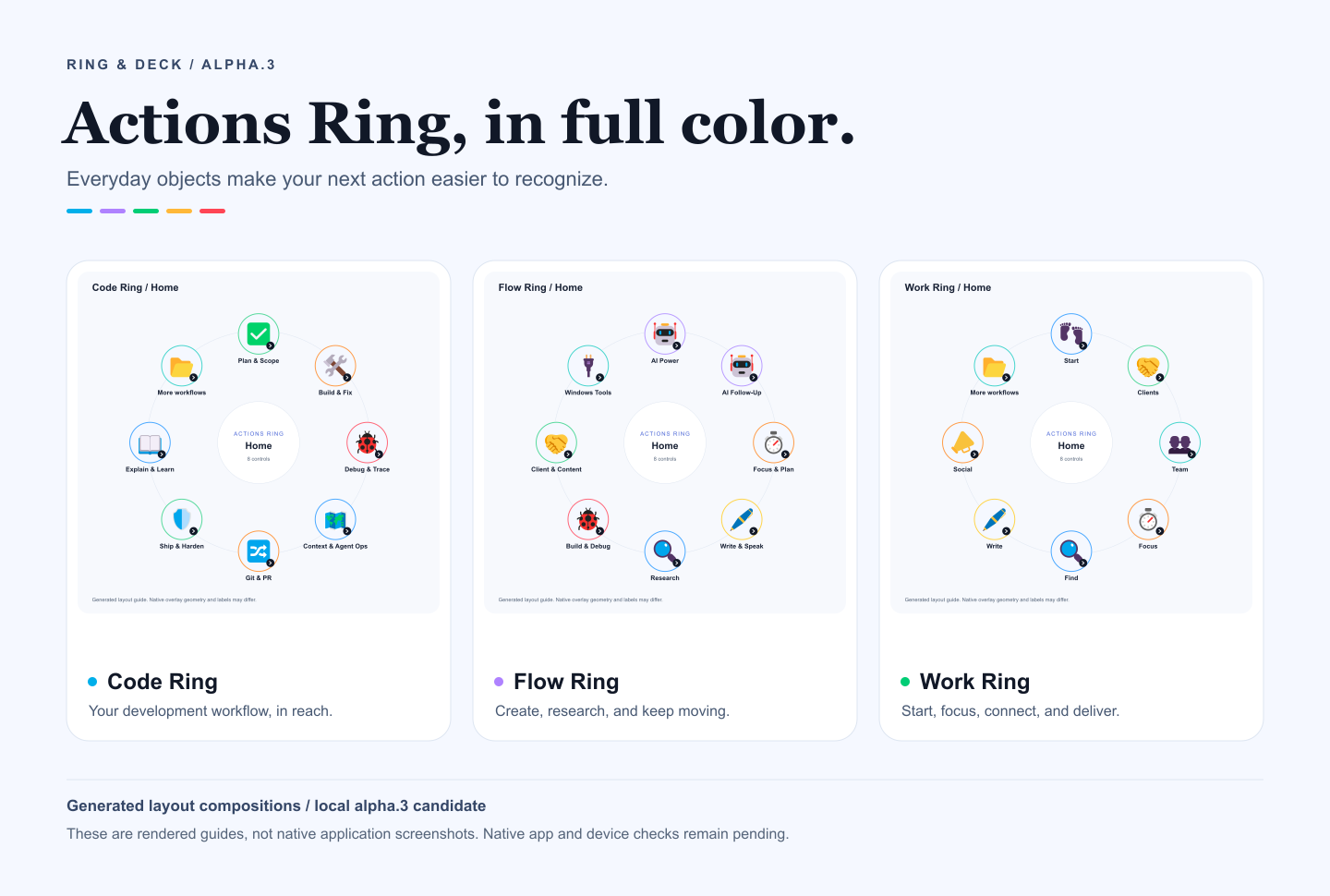
Code, work, flow. Pick your starting point.
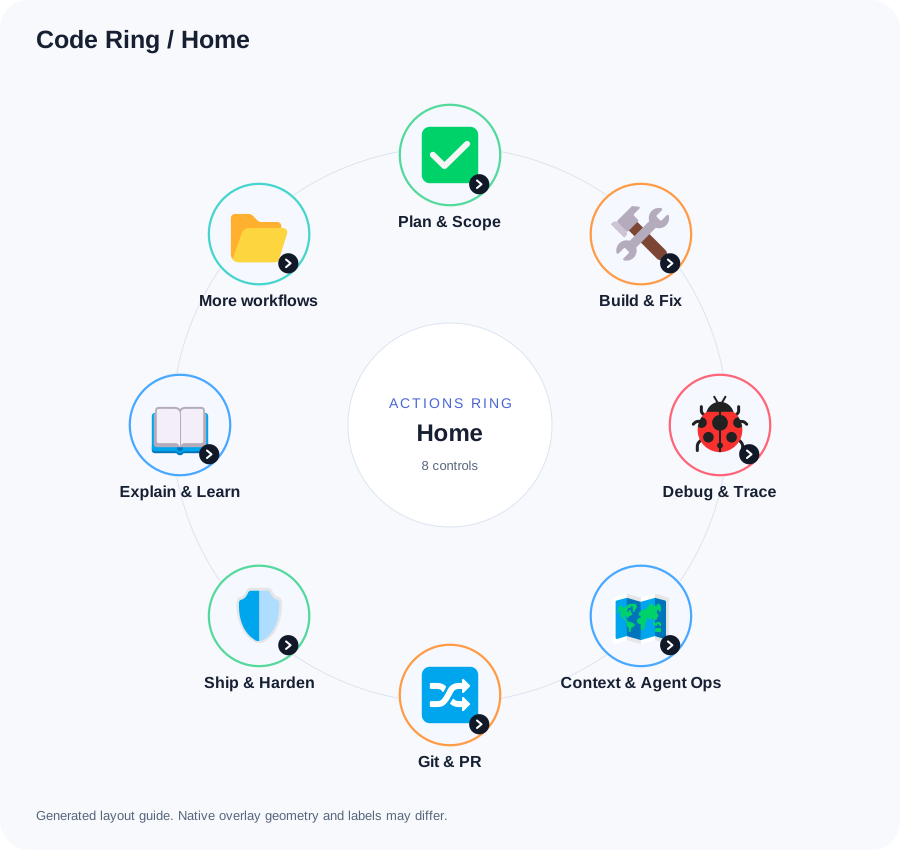
Colorful pictograms connect each action to something familiar: a magnifier for search, a pen for writing and a timer for focus. These previews match the published alpha.3 profiles. They are generated guides; native layout and label placement may differ.
Code Ring
81 prompts for scope, building, debugging, Git, environment, recovery and release review.
View full-size layout: Code Ring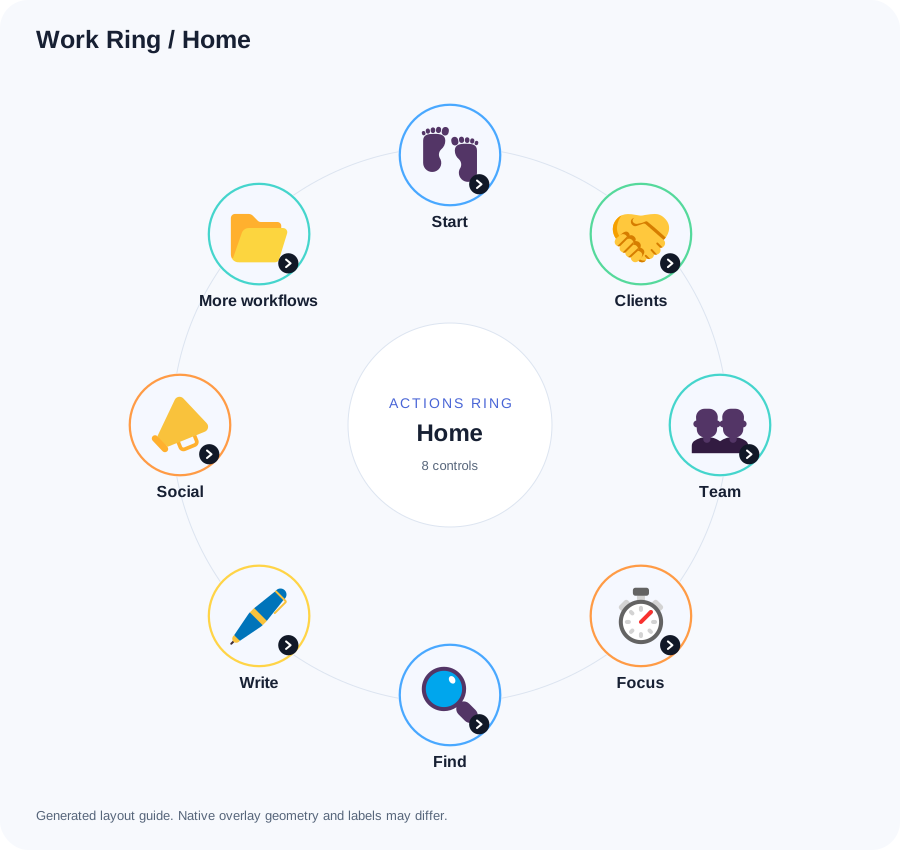
Work Ring
81 prompts for clients, team, focus, writing, operations, research and recovery.
View full-size layout: Work Ring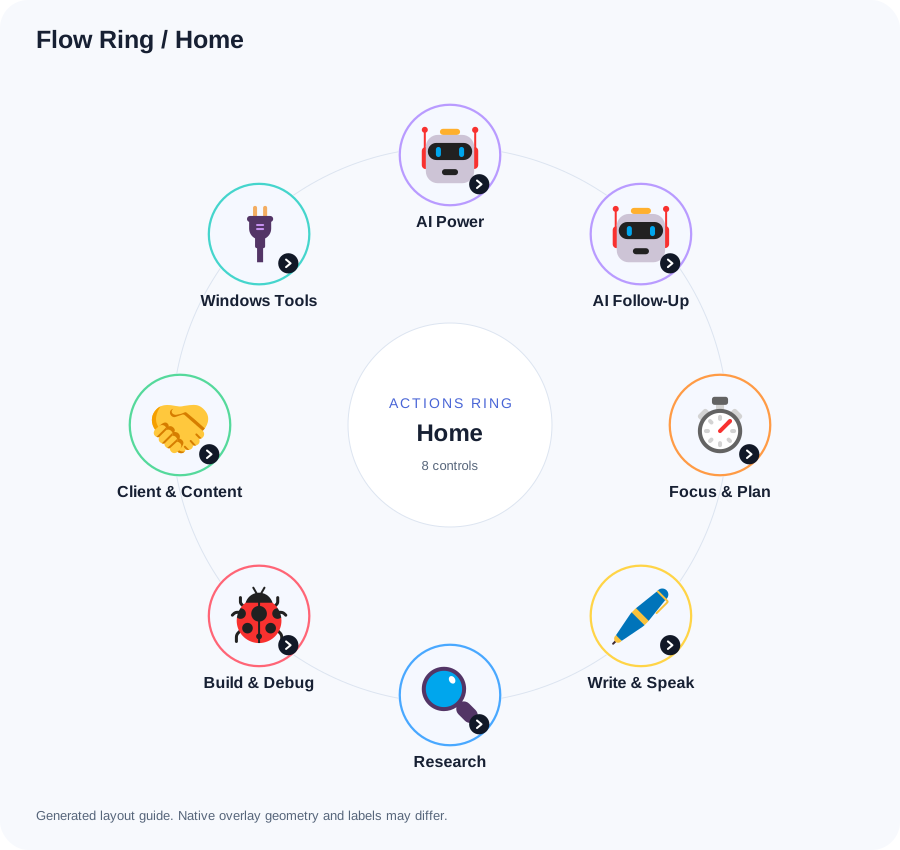
Flow Ring
65 prompts and 7 Windows controls for everyday AI, research, content, dictation and window tools.
View full-size layout: Flow RingYour assistant, with less searching
The ring holds prompts and shortcuts, not an AI model. Focus your AI composer, choose a text action and review what appears. Text actions wait 1 second for the overlay to settle, then paste through the clipboard without pressing Enter. You replace the placeholders and send manually.
Prompts are in English, with fields for your own language, tone and context where relevant. They do not install tools, grant permissions or read browser pages. Supply the source material yourself, or use an assistant whose tool access you have explicitly authorized. Instructions asking an assistant to pause for approval are not an access-control mechanism.
Code and Work each contain 81 prompts. Flow has 65 prompts plus 7 keyboard actions. Related ideas appear across profiles; these are workflow collections, not a claim of 227 entirely different concepts.
Put one ring into your day
- Back up your current profiles. Keep the public editions separate from your working setup.
- Choose an export. The files are
code-ring-0.1.0-alpha.3.lp5,work-ring-0.1.0-alpha.3.lp5andflow-ring-0.1.0-alpha.3.lp5. Check downloaded files againstSHA256SUMS.txtfrom the same release. - Import through Actions Ring customization in Logi Options+. You need a supported Logitech device. These packages use the general System profile context; assign an application yourself if needed. Menu names may differ by version.
- Check the structure. Home has 8 slots. In Code Ring and Work Ring, More opens the extra Home categories; each category contains 9 actions. Open the categories and test Logi Options+'s own return navigation.
- Test text in a blank scratch document. Wait for the 1-second delay and check the full prompt, clipboard behavior and absence of an extra Enter. Then try an empty AI composer and send only after review.
Do not test text macros in a terminal or address bar. If the focused app treats multiline paste as submission, stop using these text actions there. Re-imports may create duplicates; inspect the result before changing an older profile.
Complete setup guide · Code Ring guide · Work Ring guide
Flow Ring's 7 Windows controls
These controls act immediately on the focused application. Use them only when you intend their effect.
- Dictate:
Win+H. Requires Windows dictation to be available and configured. - Capture:
Win+Shift+S. Opens the Windows screen capture control. - Clipboard:
Win+V. Requires clipboard history if you want to use that feature. - Plain Paste:
Ctrl+Shift+V. Works only where the focused app supports it. - Files:
Win+E. Opens File Explorer. - Task View:
Win+Tab. Opens the Windows task view. - Snap Layout:
Win+Z. Requires a Windows version that supports it.
No custom AI hotkey or paid plugin is required by the profiles. Explore every Flow Ring action.
No API key is stored in the ring
These profiles do not request, store or transmit API keys and contain no AI API client. Your chosen AI app handles sign-in, keys, permissions, retention and any usage charges. Use that app's own supported settings for credentials.
An .lp5 file is a ZIP archive of readable profile data and artwork. It is not encrypted secret storage. On the inspected Windows installation, Actions Ring data lives at %LOCALAPPDATA%\Logi\LogiPluginService\Applications\Loupedeck72; Logi Options+ versions may change this location.
Text actions explicitly use the clipboard and may replace its contents. Keep API keys, private account details and client information out of shared actions. Windows dictation and connected AI apps have their own data handling settings.
What the alpha proves so far
The packages target Windows and the Loupedeck72 Actions Ring format. Alpha.3 automated checks cover package structure, references and reproducible builds. Historical loader checks accepted the earlier profile documents and resolved Flow Ring's 7 shortcuts; that does not establish an alpha.3 native import.
The earlier alpha.1 Code Ring UI check showed 8 Home items, More navigation and 9 Plan & Scope actions. That evidence predates the new artwork. Alpha.3 Ring imports, full navigation, prompt pasting and physical-control behavior remain unverified. Other layouts and macOS are untested. Generated guides are not native screenshots.
Validation record · Known limits
Start small, then make it yours
Choose one folder you will use today. Edit its JSON catalog, rebuild and check the result in a scratch document before adding it to your routine. The prompt adaptations, builder, original composition and Microsoft Fluent Emoji artwork use MIT. Legacy Lucide source drawings retain ISC. Preserve their original notices. This is an independent community project, not a Logitech product.
See the Ring & Deck download and setup reference for release status and future official marketplace links. Prefer a grid of physical keys? Explore Stream Deck Productivity.
Try it. Inspect it. Make it yours.
Downloads, source code and issue tracking live on GitHub.
Explore more projects