In this articleSections · 15
Executive summary
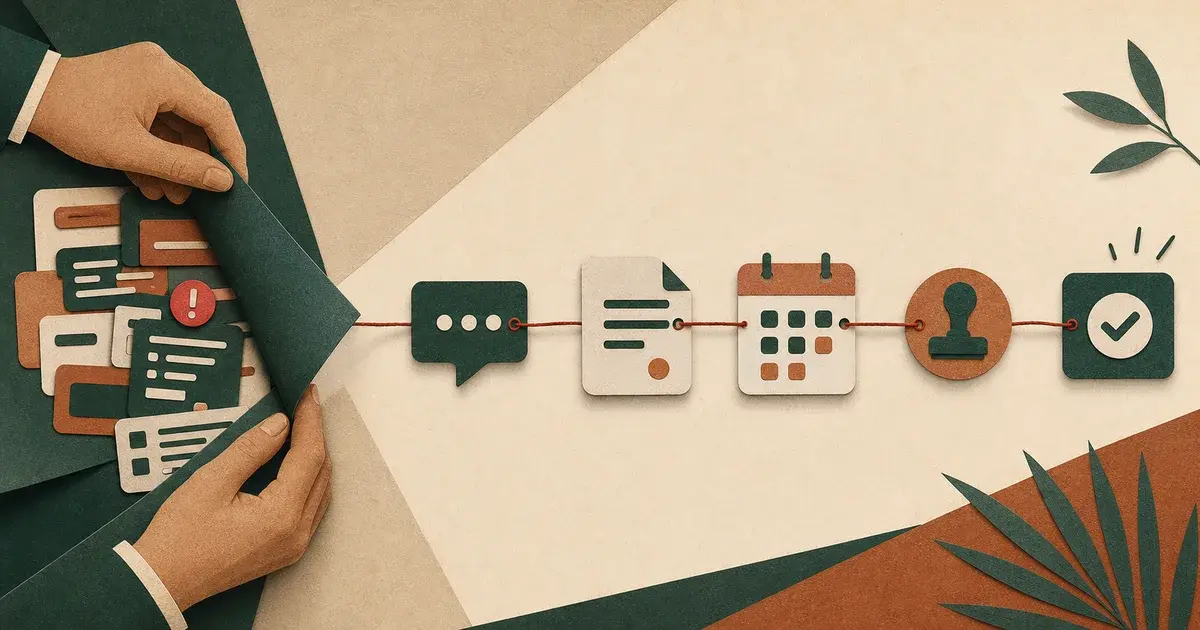
The anti-dashboard approach puts AI inside existing channels such as WhatsApp, email, CRM, docs, and finance tools. The system captures, drafts, routes, reminds, and reports without forcing teams into a new daily control panel.
The easiest way to make an AI project look serious is to give it a dashboard.
Charts. Queues. Activity feeds. A command center. A place where leadership can see that something is happening.
The problem is that many teams do not need another place to look. They need less work to chase.
That is the idea behind the anti-dashboard: AI systems that live inside the workflow instead of asking the team to move into a new screen.
Dashboards are useful, but they are rarely the work
A dashboard can be valuable for visibility. It can show volume, status, risk, and performance.
But the work itself usually happens somewhere else:
- Customer questions arrive in WhatsApp.
- Sales notes live in calls and CRM fields.
- Approvals happen in messages.
- Finance exceptions sit in spreadsheets and systems.
- Project updates are scattered across chat, docs, and meetings.
- Support quality depends on the person replying.
If the AI system only works after someone opens a dashboard, the system has already added friction.
The anti-dashboard principle
The anti-dashboard principle is simple:
Put intelligence where the work already moves.
That means the system should:
- Read from existing channels.
- Structure messy inputs.
- Draft the next action.
- Ask for approval only when needed.
- Push reminders into the channel people already check.
- Produce summaries without requiring manual reporting.
- Keep logs for accountability in the background.
The dashboard becomes optional visibility, not the center of gravity.
Why teams resist dashboard-first AI
Dashboard-first AI often creates a hidden tax.
Someone has to:
- Log in.
- Check the queue.
- Interpret the alerts.
- Copy information back to the team.
- Remind people to update statuses.
- Explain why the numbers do not match reality.
That is not automation. That is a new follow-up job.
For busy Saudi teams and SMEs, this matters. The founder, manager, or operator is already overloaded. A system that demands attention every day may look powerful but feel heavy.
What anti-dashboard AI looks like
Anti-dashboard AI is not invisible. It is just closer to the work.
In sales
After a call, the system drafts the follow-up, extracts objections, updates the CRM, and reminds the owner if no reply goes out.
In support
A WhatsApp message gets classified, summarized, and routed. The agent receives a suggested reply with policy context and customer history.
In operations
The system checks daily inputs, spots missing approvals, asks the right person for the missing item, and prepares a manager summary.
In finance
Payment exceptions are grouped by reason, matched to records, and sent to the owner with a suggested action.
In content
A campaign brief becomes platform-specific drafts, asset checklists, approval reminders, and publishing notes.
In each case, the team does not start from a dashboard. The system shows up at the point of action.
The architecture behind it
An anti-dashboard system still needs structure. It usually has five layers:
- Capture: collect inputs from WhatsApp, email, forms, CRM, documents, and systems.
- Normalize: turn messy inputs into consistent fields.
- Decide: classify, prioritize, compare, or recommend.
- Act: draft, route, remind, update, or escalate.
- Observe: log actions and produce lightweight reporting.
The difference is that users mostly interact with the action layer, not the observation layer.
The trust boundary
The anti-dashboard approach does not mean AI acts without control.
The system still needs clear boundaries:
- Human approval for sensitive external messages.
- Confidence thresholds.
- Audit logs.
- Fallback paths.
- Data access rules.
- Clear ownership of final decisions.
The difference is that these controls are embedded into the workflow. A user sees the approval request when the decision is needed, not buried in a settings screen.
When a dashboard is still useful
The anti-dashboard idea does not mean "never build a dashboard."
A dashboard is useful when it answers founder-level questions:
- Where is work stuck?
- Which requests are urgent?
- What changed this week?
- Which workflow is leaking time?
- Which automation needs review?
But it should not be required for normal daily execution. It should be the map, not the road.
How to start
Pick one workflow and ask:
- Where does the work start today?
- Where does it get stuck?
- Who needs to approve the next step?
- What message, summary, or record should AI prepare?
- Where should the reminder appear?
- What should be logged quietly?
- What does the founder need to see weekly?
This creates an automation design that respects the business instead of forcing the business to adapt to the tool.
The commercial point
Most companies do not want AI. They want work to move with less chasing.
The anti-dashboard approach sells better because it promises less burden, not more software. It says:
- Keep your channels.
- Keep human control.
- Remove repeated work.
- Make follow-up visible.
- Let the system prepare the next action.
That is the kind of AI that survives after the demo.